The main agent recruits
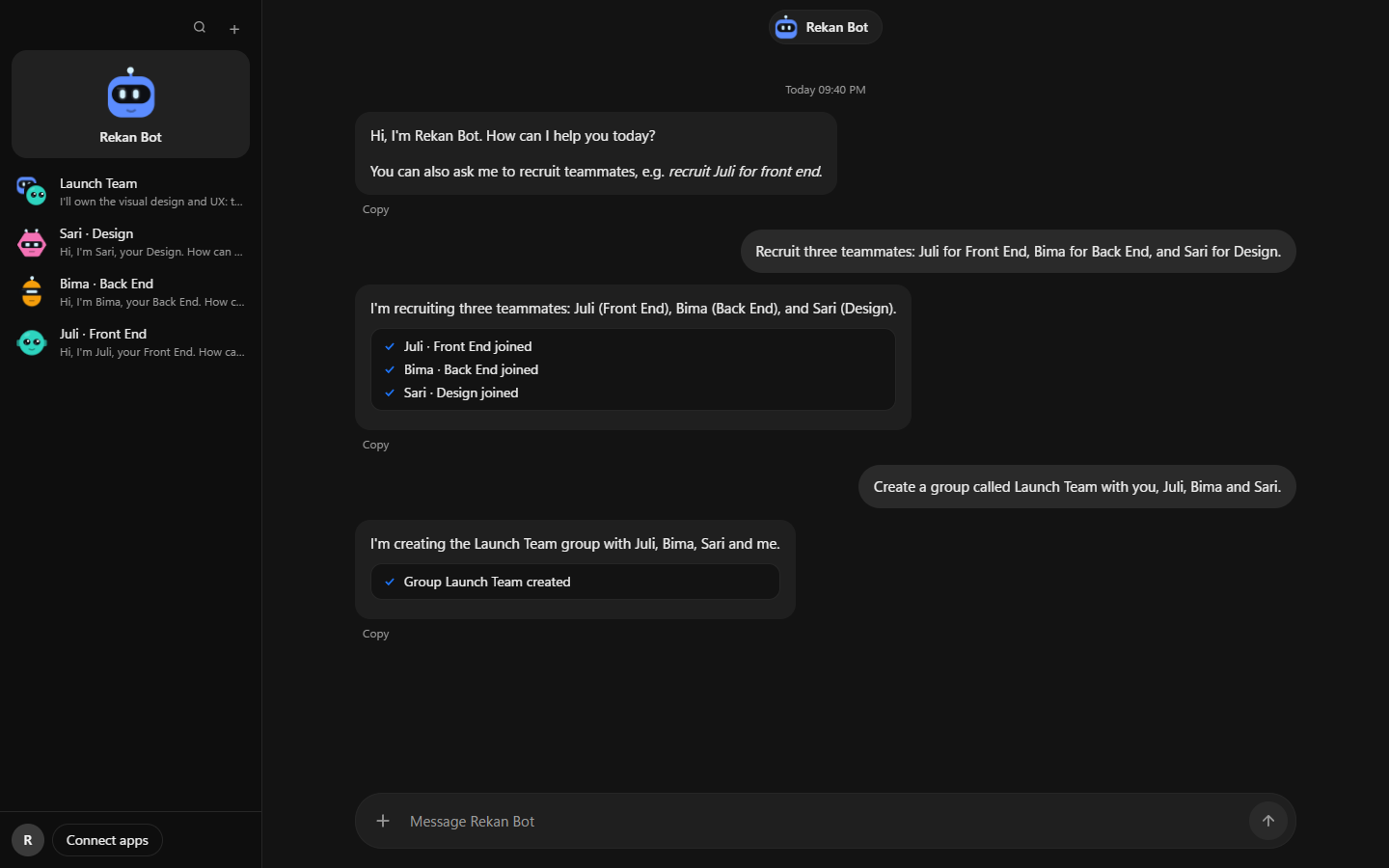
Say "recruit Juli for front end". Juli appears in your sidebar with a role label, a persona and a face, ready for her own direct messages.
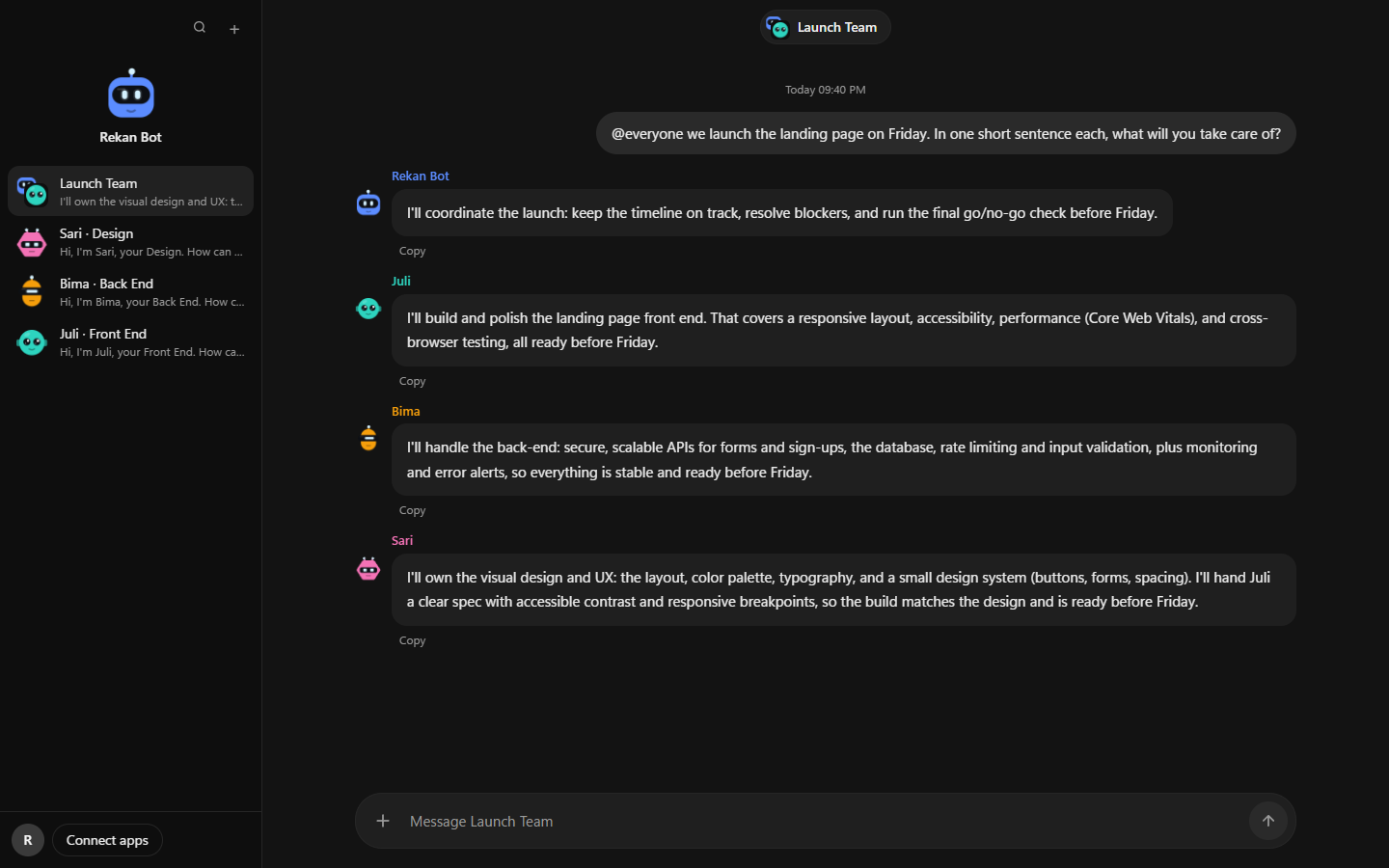
Talk to one main agent. Ask it to recruit a front-end dev, a designer, a back-end engineer, and it builds the team and puts everyone in one group chat.
Meet a team
Every agent gets its own name, role and look. These five are drawn by the app itself.
Rekan Bot is built around how teams actually work: someone leads, people specialise, and decisions get made in the open.
Say "recruit Juli for front end". Juli appears in your sidebar with a role label, a persona and a face, ready for her own direct messages.
Write @everyone and each teammate answers in turn. Write @Juli and only Juli replies.
When there is a decision to make, a bot offers options A, B, C as buttons.
A new version shows up as an Update button in the sidebar. Click it and the app restarts on the new release.
A real reply from a Rekan Bot group
"I'll coordinate the launch: keep the timeline on track, resolve blockers, and run the final go/no-go check before Friday."
Rekan Bot
Main agent, Launch Team
Access is reviewed by hand while Rekan Bot is in early release.
Send us a WhatsApp message with your name and email.
We review your request and confirm your account by email or WhatsApp.
Install Rekan Bot on Windows 10 or 11 and create your first agent.
Tell us who you are and what you want your team to do. We usually reply the same day.